MINISFORUM AI X1 PRO Review: A Powerful AI Mini PC with Serious Expansion Options
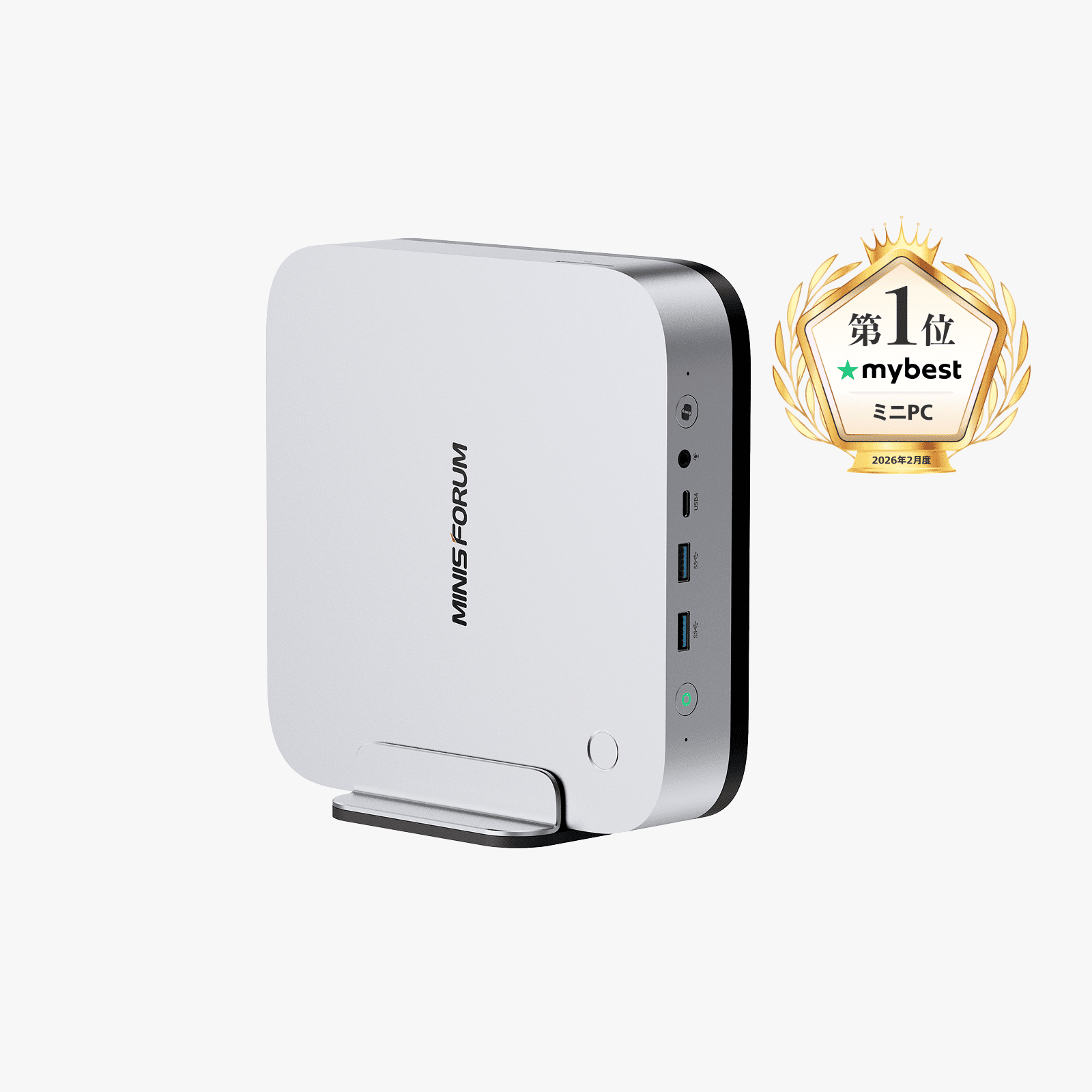
The MINISFORUM AI X1 PRO is a compact desktop designed for users who want high-end processing power, built-in AI acceleration, fast storage, and plenty of connectivity without moving to a traditional tower PC.
At its core is the AMD Ryzen™ AI 9 HX 370, featuring 12 cores, 24 threads, and an integrated NPU rated for up to 80 TOPS. Add Radeon™ 890M graphics, three M.2 SSD slots, dual USB4, OCuLink, Wi-Fi 7, and dual 2.5G LAN, and this mini PC becomes a flexible option for productivity, creative work, local AI workloads, and gaming.
The listed sale price is ¥119,999 including tax, reduced from ¥149,999. You can check the current configuration and availability here.
What Makes the AI X1 PRO Stand Out?
The main attraction is the combination of a high-performance AMD processor and dedicated AI hardware. The Ryzen AI 9 HX 370 offers 12 cores and 24 threads, with a maximum boost clock of 5.1 GHz. Its integrated NPU supports up to 80 TOPS, making the system suitable for compatible AI-assisted applications and Copilot PC features.
The AI X1 PRO also includes a Copilot button, dual microphones with AI noise cancellation support, real-time captions, and Windows Hello-compatible fingerprint authentication. These features are particularly useful for video calls, online meetings, and daily desktop productivity.
Plenty of Storage and Memory Expansion
One of the strongest practical features is the storage layout. The mini PC provides three M.2 2280 PCIe 4.0 NVMe SSD slots, supporting up to 4TB per slot and up to 12TB in total.
The first two slots support PCIe 4.0 ×4, while the third uses PCIe 4.0 ×1. The manufacturer notes that the second SSD slot has a real-world speed of approximately 1,500–1,900MB/s, so buyers should keep the slot differences in mind when planning their storage setup.
Memory is handled by two DDR5 SODIMM slots, supporting up to 128GB at 5600MHz. That gives the AI X1 PRO room for demanding multitasking, video editing, 3D rendering, software development, and AI-related workloads.
Depending on the selected configuration, the system is available as a barebone kit without an OS license, or with 32GB RAM and 1TB SSD, 64GB RAM and 1TB SSD, or 96GB RAM and 2TB SSD options.
Connectivity for Multiple Displays and Accessories
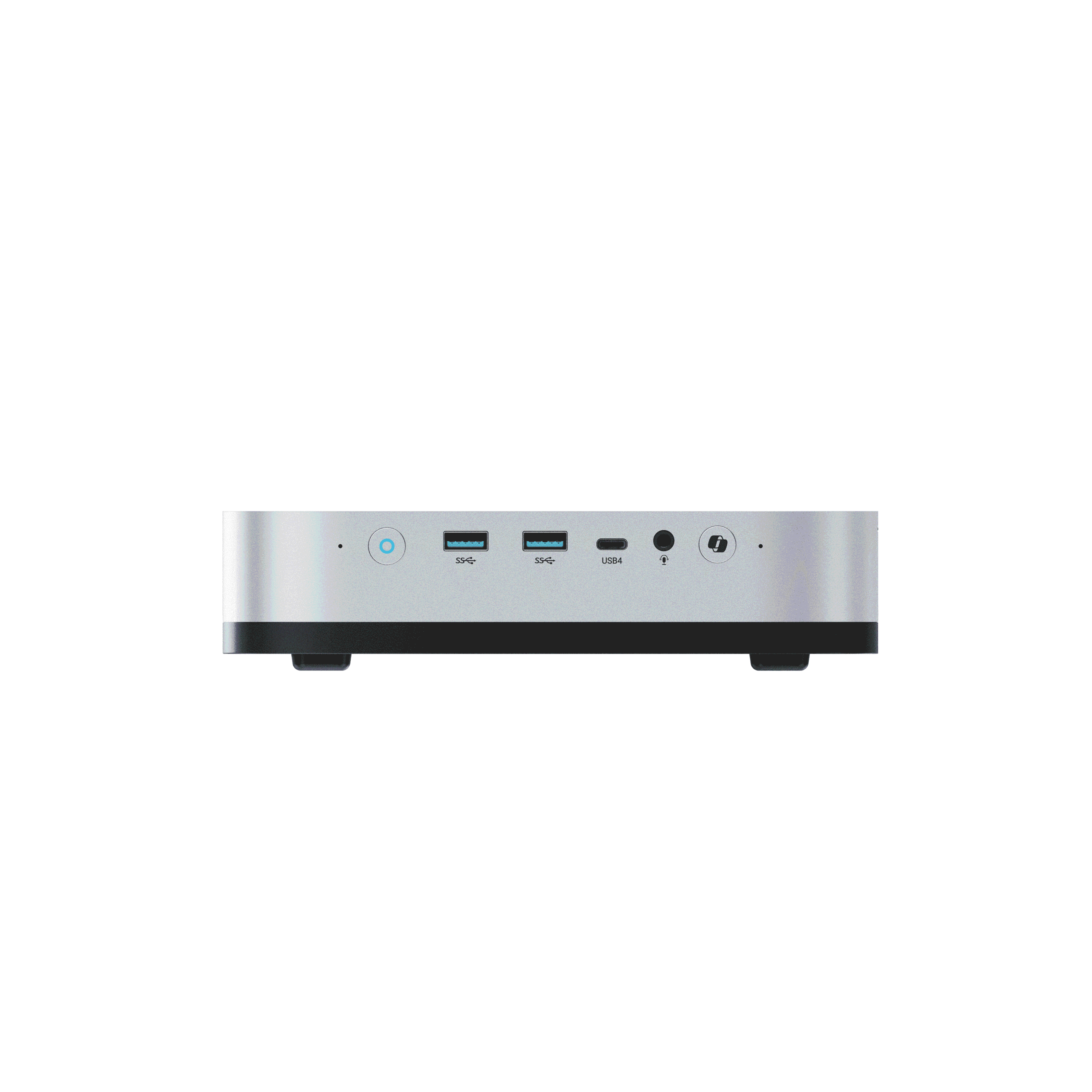
This is not a mini PC that skimps on ports. The front includes two USB 3.2 Gen 2 Type-A ports, one USB4 port, a 3.5mm combo audio jack, a Copilot button, and dual microphones.
Around the back, you get:
- Two 2.5G Ethernet ports
- HDMI 2.1 FRL
- DisplayPort 2.0
- A second USB4 port
- OCuLink
- USB 2.0 Type-A
- Kensington lock
- Clear CMOS button
- AC input
The two USB4 ports support transfer speeds of up to 40Gbps, 8K at 60Hz output, PD-in up to 100W on the rear port, and PD-out up to 15W. The system supports up to four 4K displays, depending on the connection arrangement.
OCuLink and Radeon 890M Graphics
The integrated Radeon™ 890M graphics run at 2900MHz and support adjustable VRAM allocation from 2GB to 48GB, according to the product information. This makes the AI X1 PRO suitable for lighter and medium-load gaming, as well as GPU-accelerated creative applications.
For users who need more graphics performance, the dedicated OCuLink PCIe 4.0 ×4 port allows an external GPU to be connected. MINISFORUM states that an external GPU can deliver up to 90% of its performance through OCuLink, although actual results will depend on the graphics card, enclosure, drivers, and workload.
Cooling and Built-In Power Supply
The AI X1 PRO uses two cooling fans, phase-change cooling material, and dual copper heat pipes. The manufacturer lists a standby temperature of 37°C, a full-load temperature below 80°C, and noise below 45dB in performance mode under its stated test conditions.
Another convenient design feature is the integrated 134.9W power adapter. Rather than using a separate external power brick, the mini PC connects directly to the power cable, helping keep the desk cleaner.
Key Specifications
| Specification | Details |
|---|---|
| Processor | AMD Ryzen™ AI 9 HX 370 |
| CPU configuration | 12 cores / 24 threads |
| Maximum boost clock | 5.1GHz |
| NPU performance | Up to 80 TOPS |
| Graphics | AMD Radeon™ 890M, 2900MHz |
| Memory | 2 × DDR5 SODIMM slots, up to 128GB, 5600MHz |
| Storage | 3 × M.2 2280 PCIe 4.0 NVMe SSD slots |
| Maximum storage | Up to 12TB total; up to 4TB per slot |
| Wireless connectivity | Wi-Fi 7 and Bluetooth 5.4 |
| Ethernet | 2 × 2.5G LAN |
| External expansion | OCuLink, PCIe 4.0 ×4 |
| USB4 | 2 ports, up to 40Gbps |
| Display outputs | HDMI 2.1 FRL, DisplayPort 2.0, 2 × USB4 |
| Display support | Up to four 4K displays |
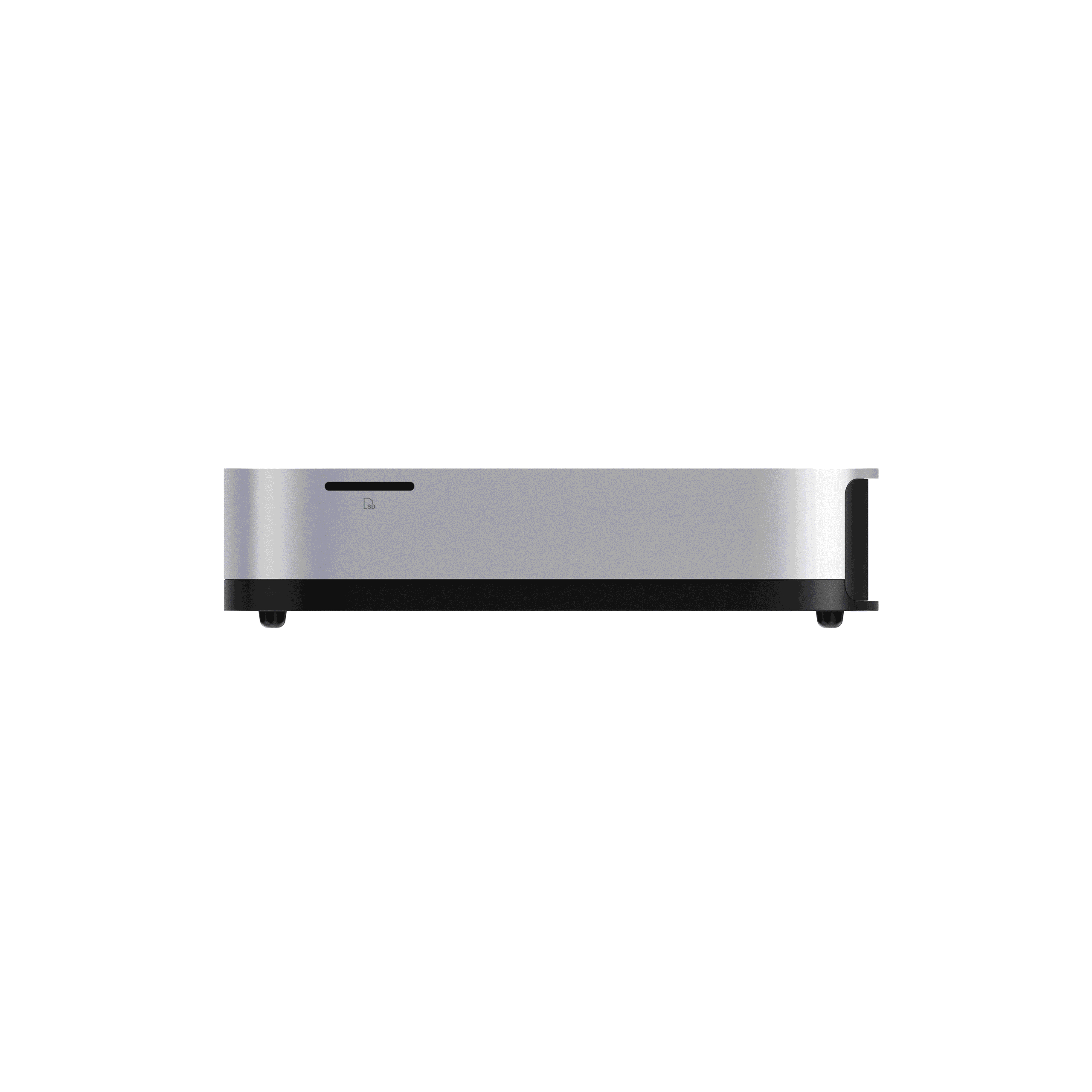
| Card reader | SD card slot |
| Security | Fingerprint button with Windows Hello support |
| Power | Built-in AC adapter, 19V / 7.1A, 134.9W |
| Weight | 1.5kg |
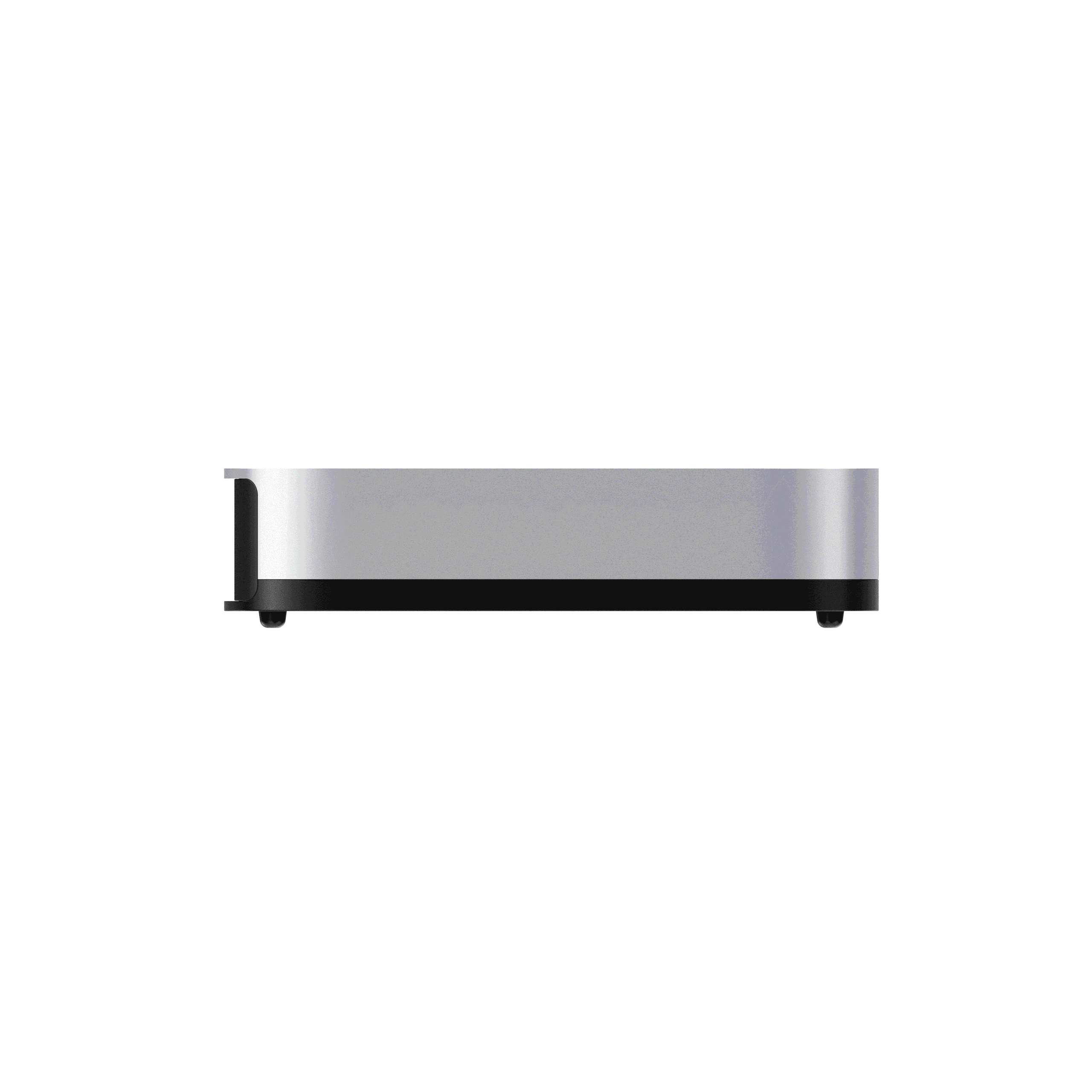
| Dimensions | 195 × 195 × 42.5/47.5mm |
| Operating system | Windows 11 listed; barebone option has no OS license |
Who Should Consider the MINISFORUM AI X1 PRO?
The AI X1 PRO is a good fit if you want a compact system that can grow with your needs. Its three SSD slots and 128GB memory support make it more upgrade-friendly than many small PCs. The dual 2.5G LAN ports, SD card reader, four-display support, and OCuLink connection also give it appeal for creators, developers, home lab users, and demanding multitaskers.
It may be more than you need for basic web browsing and office work, and integrated graphics are not a replacement for a dedicated gaming GPU in demanding modern titles. However, the option to add an external GPU gives the system considerably more flexibility.
Final Verdict
The MINISFORUM AI X1 PRO packs an impressive amount of hardware into a compact 1.5kg chassis. Its Ryzen AI 9 HX 370 processor, 80 TOPS NPU, Radeon 890M graphics, expandable memory, three SSD slots, USB4, and OCuLink make it a versatile desktop for work, creation, AI applications, and expandable gaming setups.
If you want a powerful mini PC with unusually strong storage and connectivity options, view the MINISFORUM AI X1 PRO and choose your configuration here.
Leave a Reply